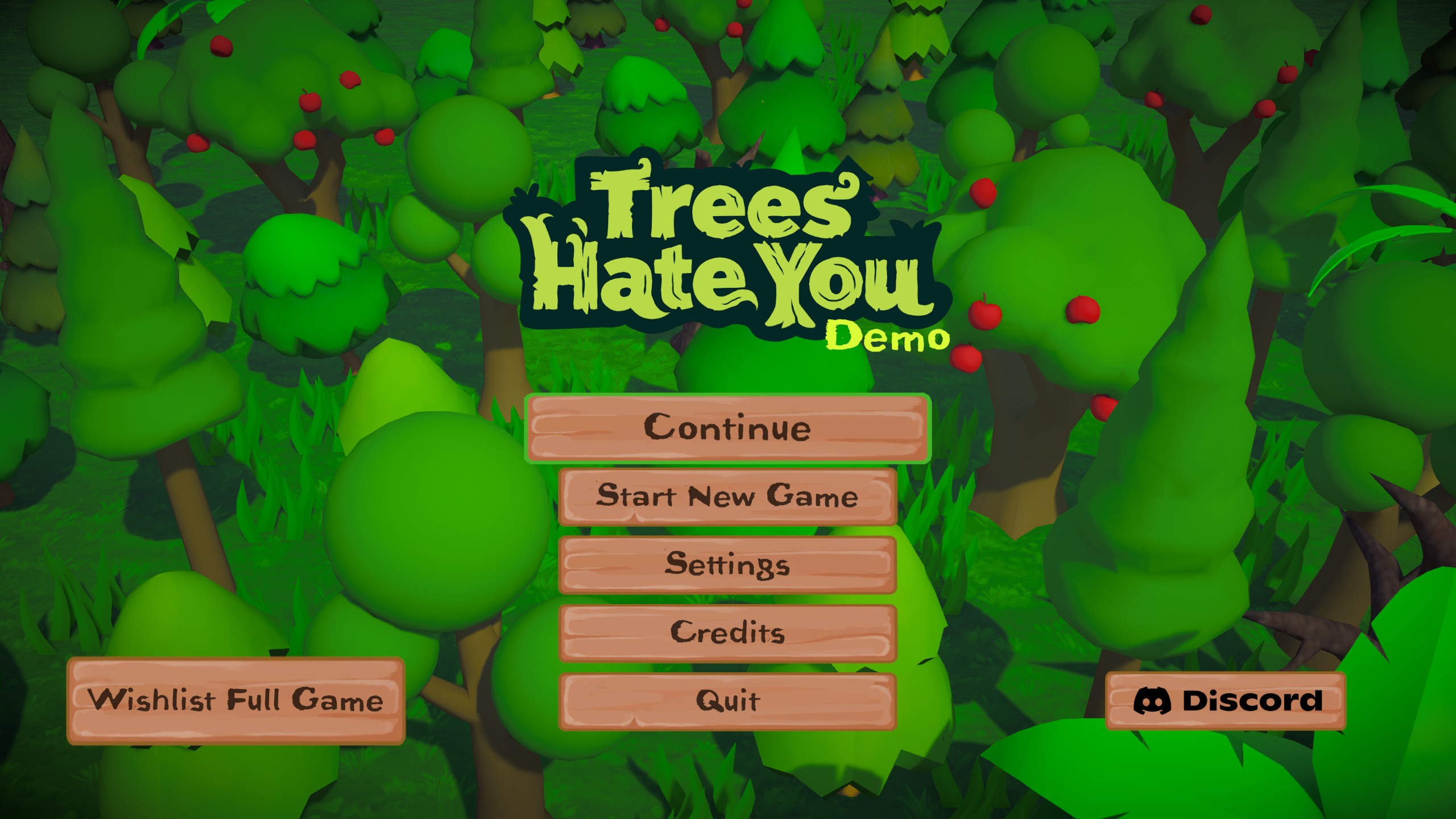
Trees Hate You is a comic 3D escape game in which the cheerful forest is also the source of its strangest attacks and obstacles.
The landscape looks playful, but safe progress depends on reading the ground ahead. Entering a narrow route without a backup plan can turn a small surprise into an instant restart.
The game rewards patient scouting as much as reflexes. Learn one threat at a time, use open ground to see how it moves, and carry that knowledge into the next section.
How to play Trees Hate You
- Press Play and allow the larger 3D game package to initialize.
- Choose Start New Game from the Trees Hate You menu.
- Read the control prompts before moving far into the forest.
- Avoid hostile scenery and advance toward the next open area.
Trees Hate You tips
- Keep the camera aimed toward the space you are entering.
- Use wide areas to study a new hazard before committing.
- Slow down after a surprise instead of repeating the same blind route.
Treat the Trees Hate You forest like an obstacle course
Trees Hate You works best when you stop treating the scenery as harmless decoration. Before moving, scan the path, the edges of the frame, and any object that could close the route behind you. Choose a direction with room for one emergency correction. That small pause can prevent several restarts without removing the game’s deliberately chaotic personality.
New threats are easiest to understand from open ground. Let the hazard begin its movement, watch its range, and then decide whether to pass, wait, or move around it. A narrow trail is the wrong place to discover an attack pattern. Trees Hate You rewards players who gather information before turning speed into risk.
More Trees Hate You guides
Open a topic for detailed strategies, version notes, and answers.
Camera control and recovery create safer progress
Point the camera toward the space you will occupy next, not the place you just left. In a 3D action game, an unseen hazard can erase a good run even when movement is otherwise precise. Brief side checks are useful, but repeated camera swings make direction harder to judge. Keep the view stable until the environment gives you a reason to change it.
After a near miss, recover first and advance second. Move into a wider area, restore a useful camera angle, and only then continue. This reset prevents one mistake from becoming a chain of hurried decisions. When Trees Hate You surprises you in the same location twice, spend the next attempt studying that location rather than rushing through it again.
What this Trees Hate You browser page provides
The player above is supplied through an external embed and can take longer to initialize than a simple puzzle. This site does not distribute a Trees Hate You download or promise that the browser build is an official demo, a full game, or a particular platform edition. Available areas and features belong to the provider’s current version.
Phone and tablet support also depends on the embedded build. A responsive page cannot create touch controls when the game does not offer them. If movement prompts expect a keyboard or mouse, use a desktop browser. For release dates, console availability, and definitive edition comparisons, rely on a verified developer or store source.
Trees Hate You FAQ
How do I start Trees Hate You?
Press Play, wait for the 3D build to load, choose Start New Game, and follow the controls displayed inside the player.
Is this a Trees Hate You demo?
The page does not label the external build as an official demo or the complete release. The provider determines which levels and features are available.
Can Trees Hate You work on mobile?
The page fits smaller screens, but useful mobile play requires touch controls from the game itself. Use a desktop browser if the player only shows keyboard or mouse inputs.
Why is Trees Hate You slow to start?
It is a larger 3D game delivered by an external host. Connection speed, provider availability, browser extensions, and device performance can all affect startup.
Trees Hate You runs inside an embedded third-party game player. Availability and saved progress may depend on the game provider and your browser settings.