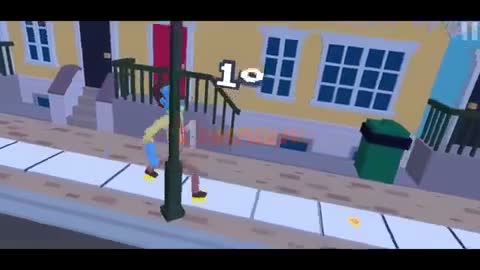

Wacky Steps makes walking the entire challenge: every leg movement shifts weight, changes momentum, and creates a new chance to tumble.
Progress comes from alternating small inputs instead of forcing the character forward. Flat ground teaches the rhythm; curbs and gaps reveal whether that rhythm can survive a sudden adjustment.
Restarts are quick, so a fall never needs to be wasted. Notice which foot was badly placed, shorten the next movement, and return with one clear correction.
How to play Wacky Steps
- Open Wacky Steps with the Play button above.
- Start the round inside the external game player.
- Use the displayed controls to move each leg and manage balance.
- Cross obstacles without letting the character collapse.
Wacky Steps tips
- Build a slow left-right rhythm before chasing speed.
- Watch the torso to spot a dangerous lean early.
- Approach uneven ground with a step you can interrupt.
Find a controllable Wacky Steps walking cycle
Begin on the flattest surface available and treat one left-right pair as a complete cycle. Move the first leg, watch how the torso shifts, and let the second leg return the body toward center. Repeating a modest cycle teaches more than a fast launch followed by an immediate fall. Wacky Steps becomes manageable when the next input answers the movement already happening on screen.
The upper body is a useful balance meter. A small lean can be corrected with a shorter follow-up, while a deep lean usually means the previous step was too long or too late. Watch the torso before the feet finish moving. That early signal gives you the best chance to reduce momentum without creating a larger swing in the opposite direction.
More Wacky Steps guides
Open a topic for detailed strategies, version notes, and answers.
Approach each Wacky Steps obstacle in three parts
Use an approach, a placement step, and a recovery. The approach establishes rhythm before a curb or gap. The placement step decides which foot leads and where the body’s weight will travel. Recovery returns the character to a stable pattern after the obstacle. Skipping one of these phases often turns a successful crossing into a fall two steps later.
When the same section defeats you, change the final approach step rather than rebuilding the whole run. Arrive a little slower, lead with the other foot, or shorten the input before the edge. Wacky Steps physics can magnify tiny timing changes, so a focused adjustment is easier to evaluate than several new movements at once.
About this Wacky Steps online version
The game loads from a third-party browser provider after you press Play. No Wacky Steps download is required from okiaimx.org. Portal searches such as Wacky Steps Poki or Wacky Steps Crazy Games may lead to different listings, interfaces, advertising, or builds, so they should not be assumed to match the player on this page.
Progress and availability depend on the external player. If a run becomes stuck, use Restart to reload only the game frame before refreshing the whole guide. Fullscreen can make leg placement easier to read, but the most important improvement still comes from slowing down enough to understand how each input moves the character.
Wacky Steps FAQ
Can Wacky Steps be played online without an installation?
You can launch the available browser build without purchasing a download from this site. The external provider controls its current access, advertising, and features.
What is the main Wacky Steps strategy?
Use short alternating inputs, watch the torso for an early lean, and finish one stable step before forcing the next leg forward.
Does this Wacky Steps player require a downloaded file?
No download is needed for the player above. Avoid unrelated files that use the game name but come from an unverified source.
Why does my character keep falling?
The common causes are steps that are too long, a rushed second input, or entering uneven ground without a stable placement step. Slow the cycle and change one timing choice.
Wacky Steps runs inside an embedded third-party game player. Availability and saved progress may depend on the game provider and your browser settings.